
I was a high school teacher at East Bay Innovation Academy for two years and worked with a wide variety of students. While I didn’t think of myself explicitly as a ‘UX designer’ at the time, I was constantly building systems for real users with uneven access, differing skill levels, and tight constraints. I had to understand my users’ needs and test assumptions quickly. Some students had never coded before whereas some had attended camps or found support at home. With a large skill gap, I ended up building a differentiated curricula with multiple starting points, focusing on helping students build confidence through projects that were both engaging and creative.
Teaching
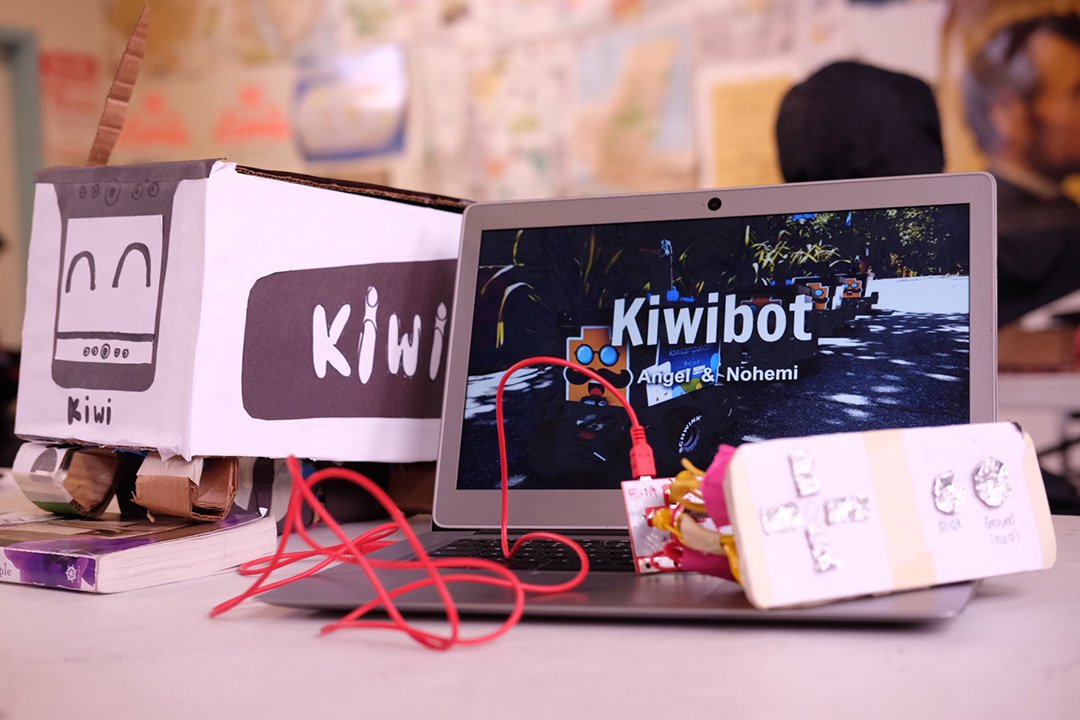
Additionally I created units that connected computer science to real world topics that students actually seemed to care about. We dived into topics like data privacy, surveillance, AI, and robotics. The latter of which I had students research real, working robots and their components like servos, sensors, and power supply. And then present on how these recent forms of automation affect labor and society. Designing these kinds of lessons were some of my favorite parts of teaching. At the high school, a constant constraint that I ran into was technology. Our students worked on shared Chromebooks that were often undercharged and or frequently unavailable in some number, meaning I would have to borrow from other classrooms.
For my AP students especially, that limitation mattered so I fundraised for a couple of high-powered laptops to make sure that they had something that they could do more robust work on if they wanted it. In my AP Computer Science Principles course things were a little bit different. The structure was more defined, so I taught fundamentals like objects, booleans, arrays, and logic with Javascript while preparing them for the AP exam. I used warm-ups, practice tasks, and larger projects as checkpoints to see who was tracking and who needed extra support, and I adjusted the pacing based on where the students got stuck. A big part of my teaching style was treating the classroom like an iterative system. I used mini-quizzes, exit tickets, and short builds as a fast feedback loops so I could make changes mid-unit if something wasn’t working.
After high school I taught college-level Web Design for Cal State East Bay during the pandemic. The course was remote, asynchronous, and prerecorded, which I thought worked quite well for web development. I edited video lessons each week for clarity and continuity, and hosted weekly office hours. I used quick quizzes and forum questions to shape the context and supplementation of the following week’s video lesson. The final project was a single scrolling interactive webpage with multiple jQuery interactions, which fit well because the course was part of the art department and games and interactivity were big motivators.
A short clip from a video lesson I made for the Web Design 2 college course
Across both of these settings, I developed a real taste for making technical material feel accessible and truly engaging without watering it down. I regularly designed for diverse user needs, worked within real constraints, and iterated based on observable behavior and feedback. This mindset of understanding my students (the users) and testing ideas early, and refining solutions over time informs my approach to UX design today. A lot of what I did maps cleanly on to UX principles, designing for different user needs, working within constraints, and iterating based on what I could actually observe, not just what I hoped would work.